See Boswell in action

A quick look at how Boswell helps your team spend less time on paperwork and more time serving your community — client intake, client lookup, service tracking, and funder-ready reporting in one simple tool.
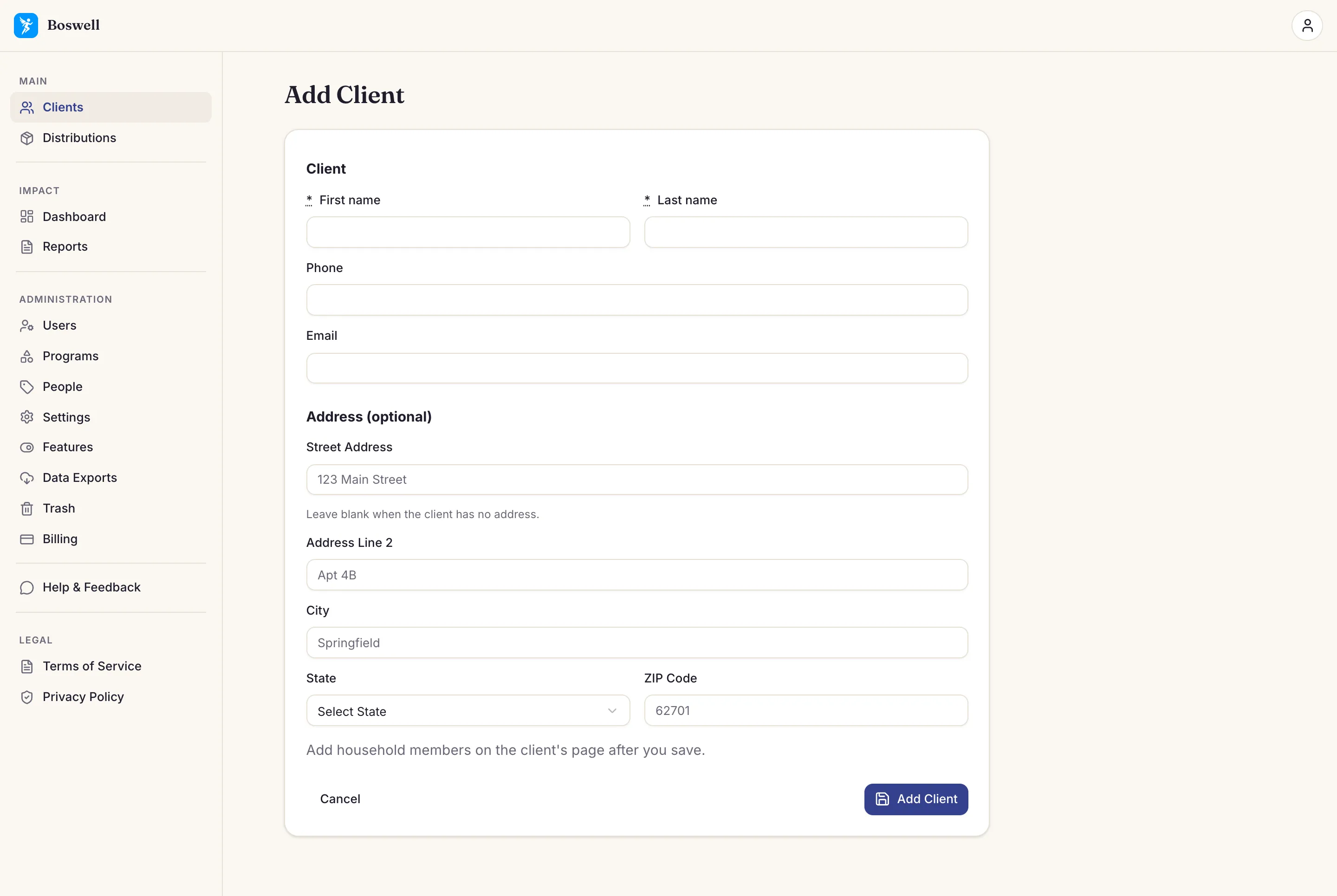
Boswell's Add Client form: first and last name, optional phone and email, and an optional address
Add a client — a simple intake form anyone on your team can fill out.
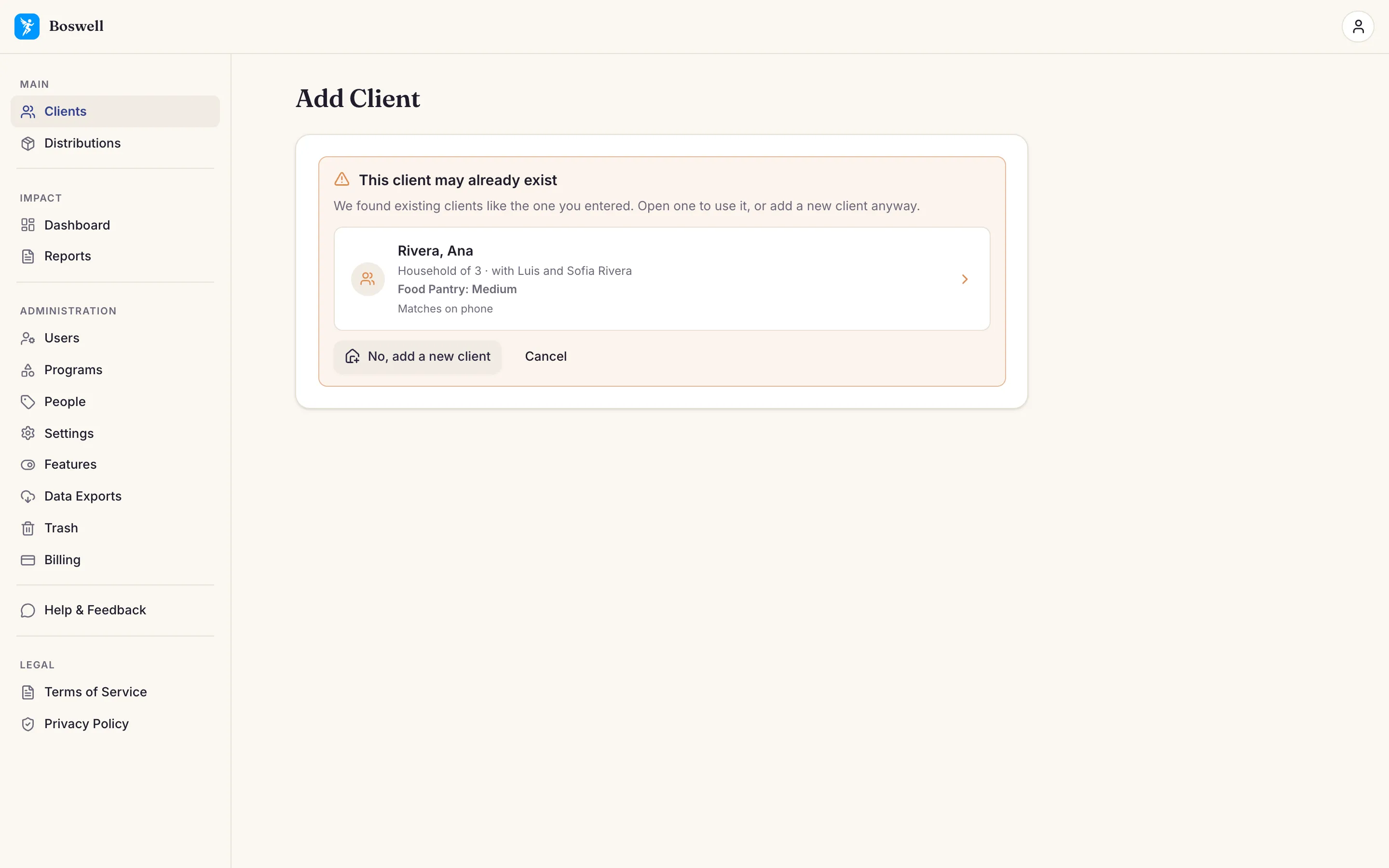
Boswell's Add Client warning, "This client may already exist", with a likely match and the reason "Matches on phone"
Catch duplicates — when a new client may already exist, Boswell shows the match and why.
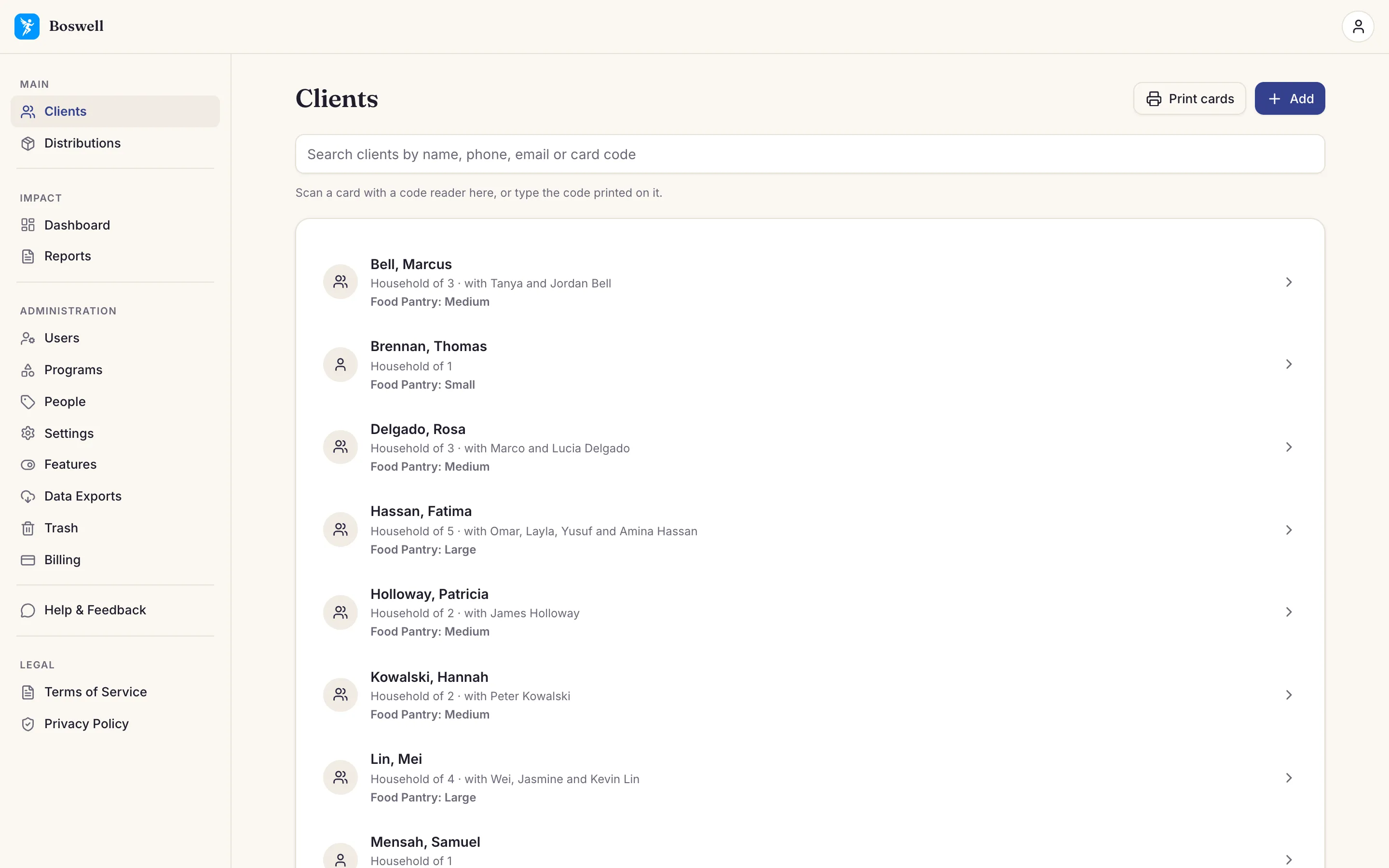
Boswell's Clients list: each client shown last name first, with household size, the other members, and the client's approved Food Pantry size
Find a returning client — find them in seconds instead of digging through files.
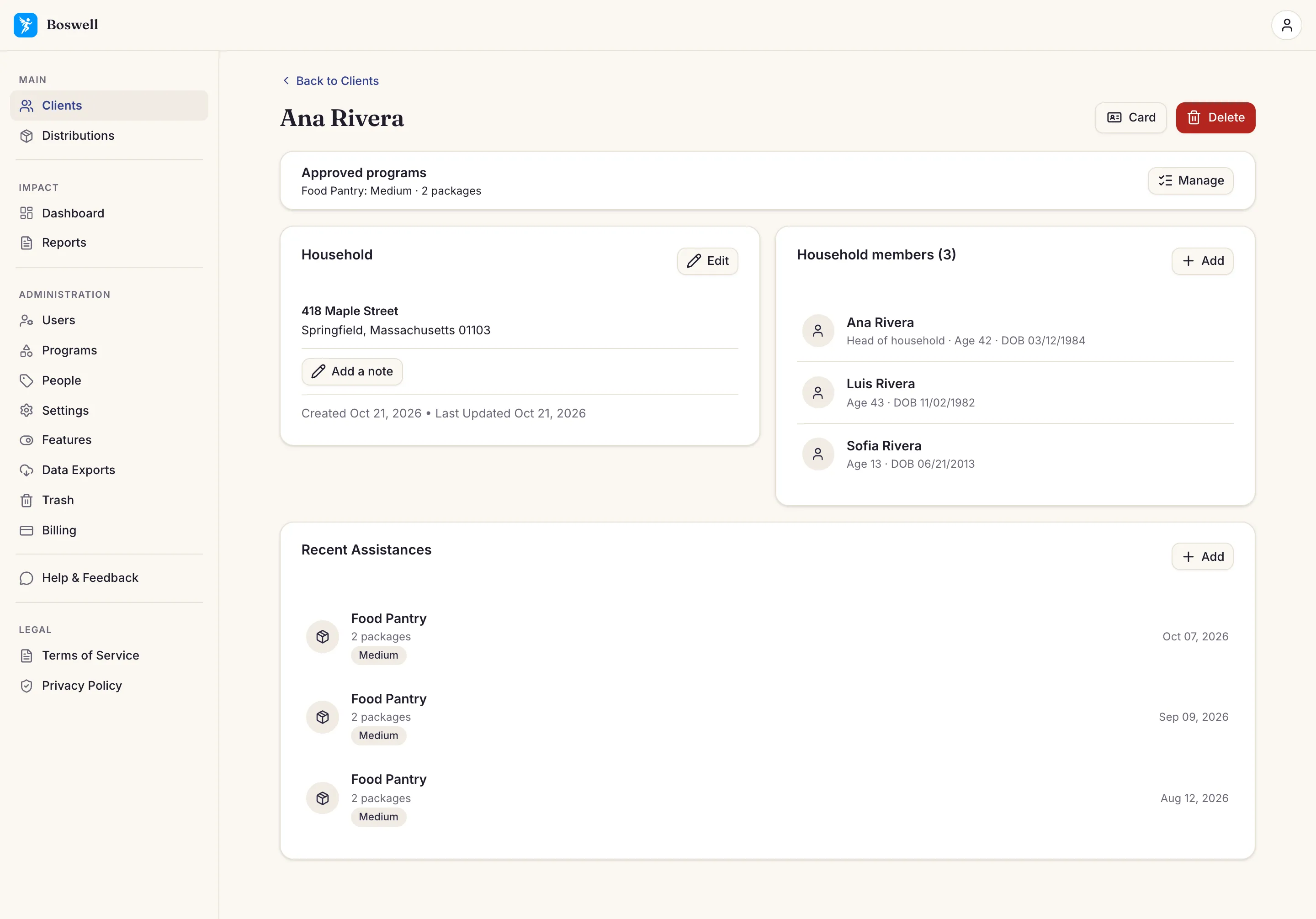
A client's household page in Boswell: approved programs at the top, household members with ages, and recent assistances
See their history — everyone in the household, the programs they’re approved for, and every service they've received, at a glance.
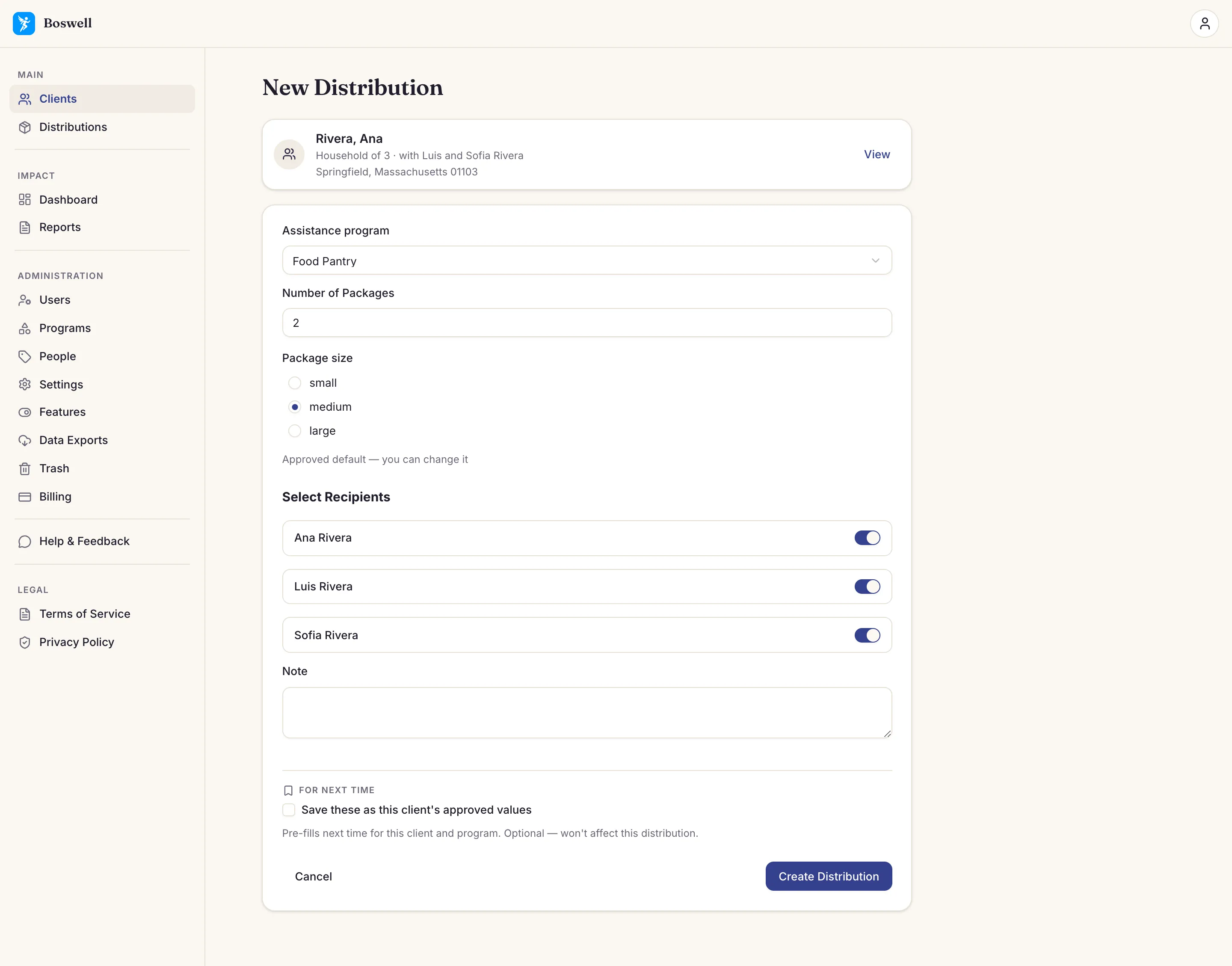
Boswell's New Distribution form: the client's approved Food Pantry values filled in, every household member checked as a recipient, and an option to save the values for next time
Record a service — pick the program and the client’s approved values fill in. Change anything for today’s visit.
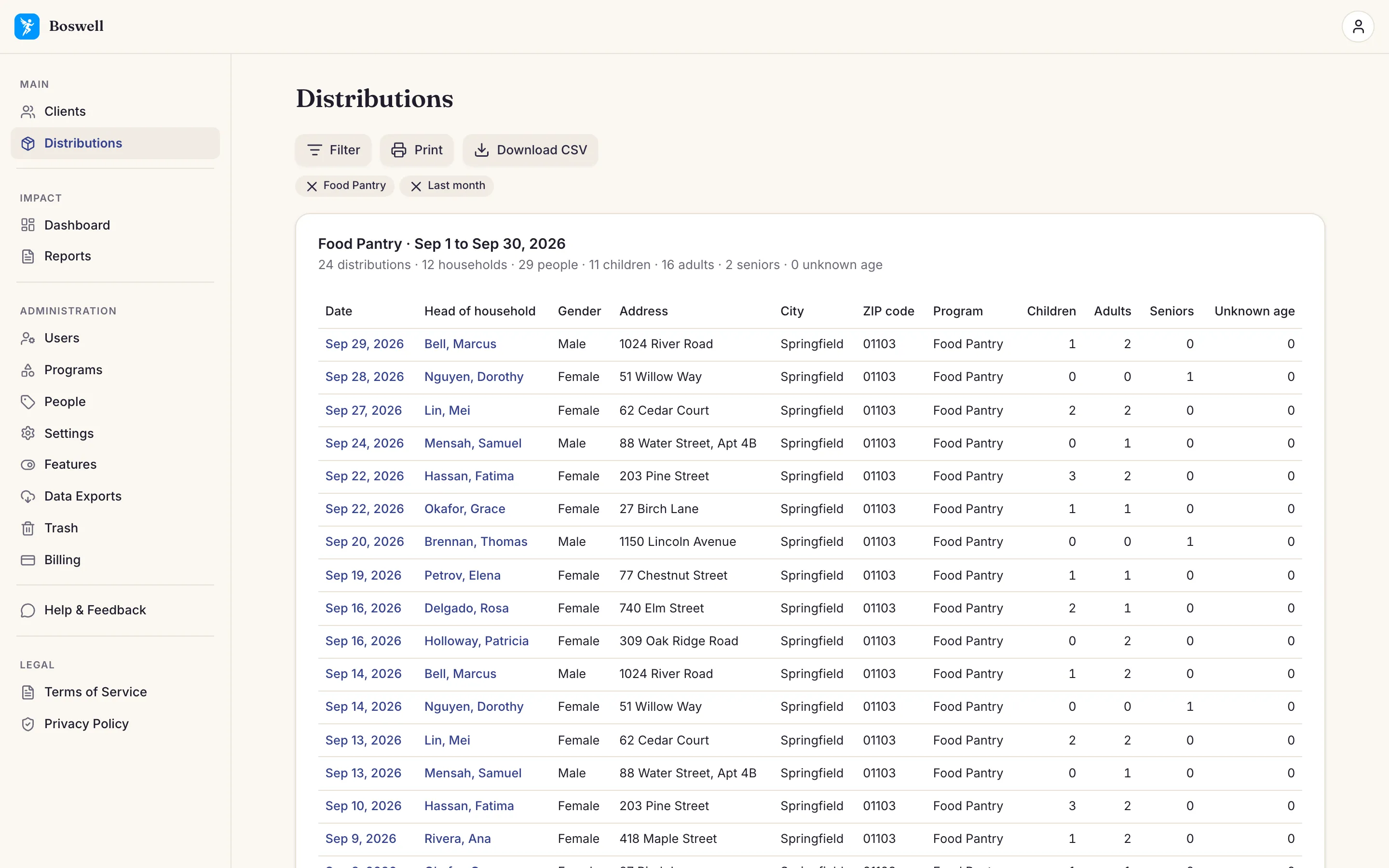
Boswell's Distributions page: one program for last month, with totals for distributions, households, and people above the list
See every distribution — filter by program and dates, see the totals, and print the list.
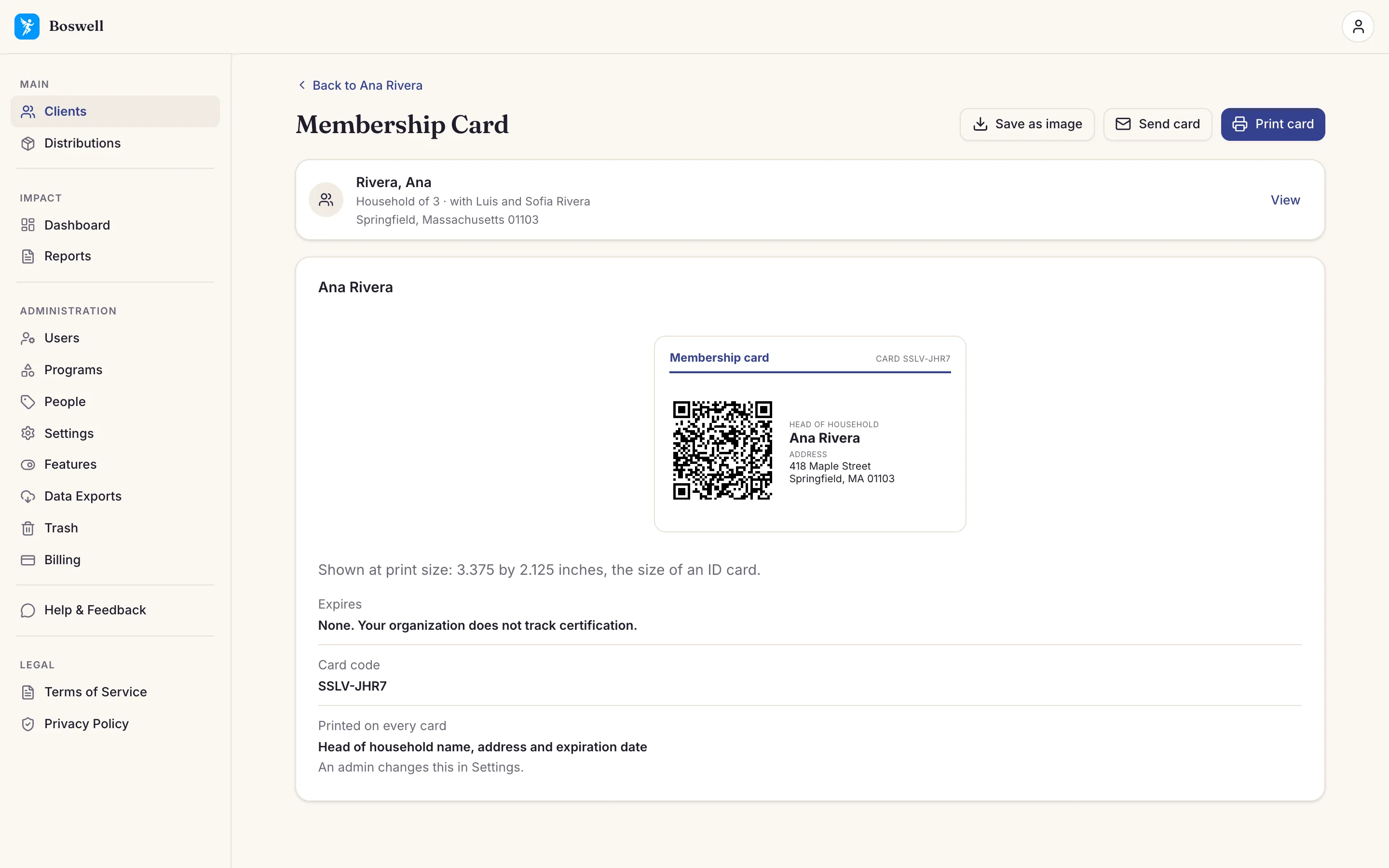
Boswell's Membership Card page: an ID-card-size card with a QR code and the head of household's name and address, with buttons to save, send, or print it
Hand out membership cards — print a card, save it as an image, or email it to the client. At the next visit, scan it to find the client.
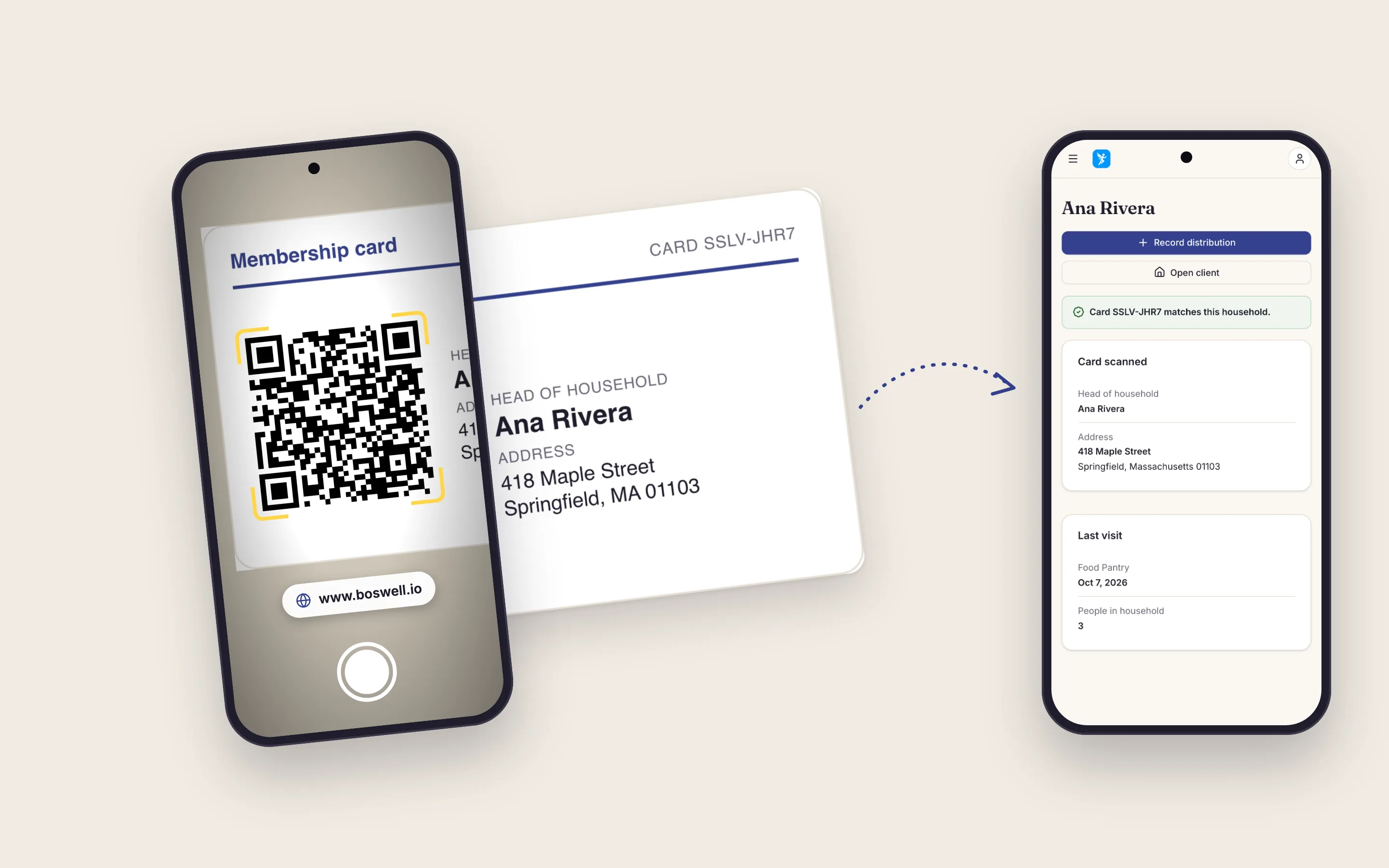
A phone camera held over a Boswell membership card shows a link to boswell.io, and a second phone shows the Card scanned page with Open client and Record distribution buttons
Scan with any phone camera — no app needed. A real card opens your organization’s Boswell at the Card scanned page, where signed-in staff can open the client or record a distribution. A desk code reader works too. The code in this picture opens this page.
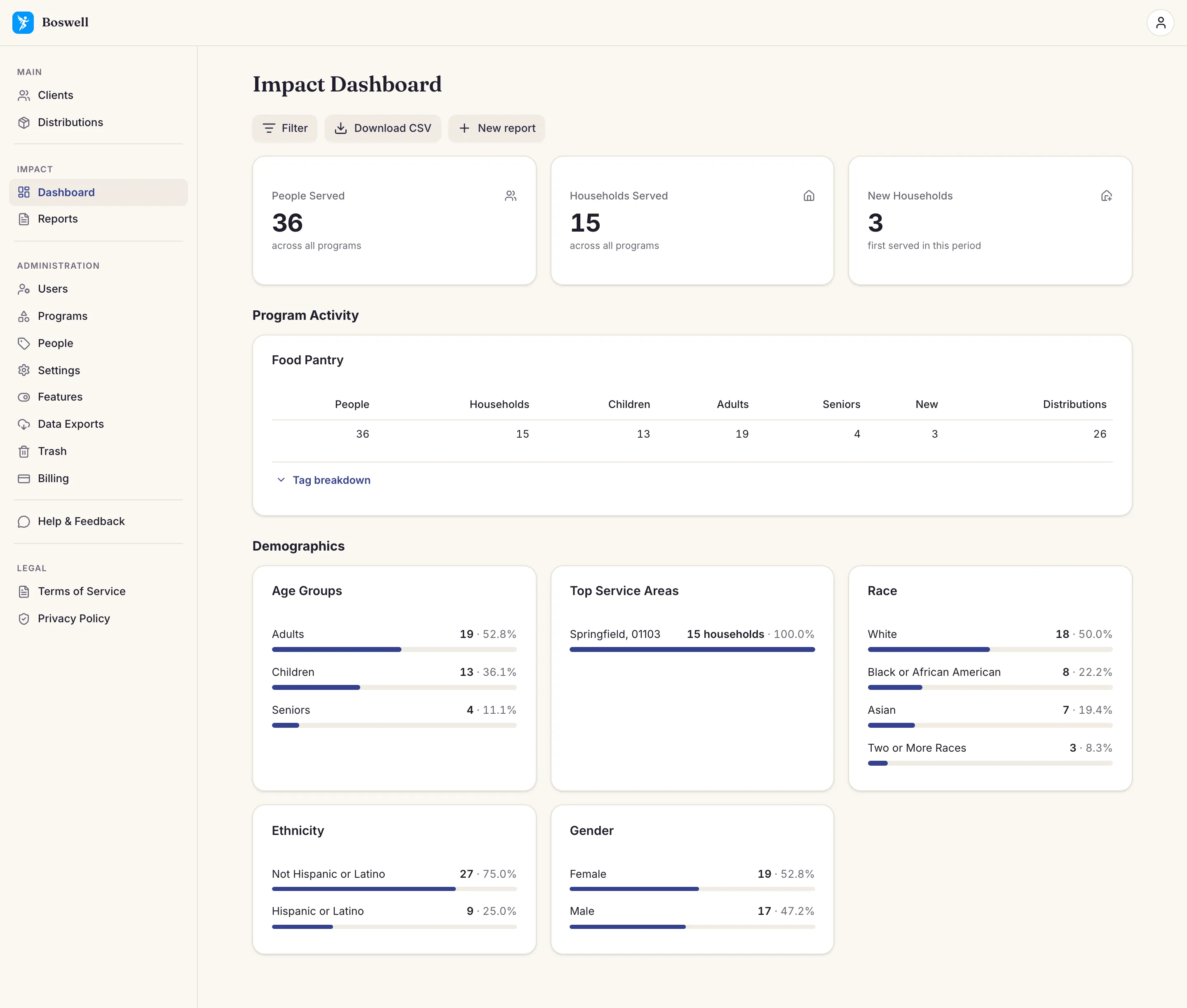
Boswell's Impact Dashboard: people and households served, program activity, and demographics by age, service area, race, ethnicity, and gender
Report to funders — by demographic, service, and date, ready to export for your board.

What you can do with Boswell

Register clients

A signup workflow simple enough for any volunteer to learn in minutes.

Fast client lookup

Find a returning client and their service history quickly.

Track services

Record what you distribute, with options you set for each program.

Report to funders

Generate demographic and service reports in minutes, exportable to CSV, which opens in Excel.

The best demo is trying it yourself

Start your free 30-day trial — no credit card, set up quickly. Explore the whole product with your own programs.

Ask a question

Ask us a question

A person on our team reads every message.

Your message arrived.

Thank you for writing. A person on our team reads every message.

Your message was not sent because too many messages arrived in a short time. Wait a moment, then send it again.

Your message was not sent. Send it again, or email us at .